This post contains affiliate links. If you buy through our links we may earn a small commission — at no extra cost to you. This never influences our recommendations.
Solar panels solve one specific problem for an outdoor camera — power — and it’s easy to assume that also means freedom from Wi-Fi and infrastructure entirely. It doesn’t. The overwhelming majority of “solar security cameras” still need a Wi-Fi connection at the install location to stream footage and send alerts; the solar panel just means you’ll never need to charge or wire the camera itself. This guide covers that distinction clearly, along with honest picks for both Wi-Fi and truly infrastructure-free cellular setups.
The Distinction That Matters Most: Wi-Fi Solar vs Cellular Solar
Wi-Fi solar cameras pair a small solar panel with a rechargeable internal battery, eliminating the need to charge or hardwire the camera — but they still connect to your home or property Wi-Fi network to stream live video, send push notifications, and sync footage. This describes the large majority of solar cameras on the market, and it’s the right fit whenever your camera’s mounting location is within range of an existing Wi-Fi network, even a weak one.
Cellular solar cameras add a built-in 4G/5G LTE module with its own SIM card, transmitting over the cell network instead of Wi-Fi entirely. This is the only category that delivers genuine zero-infrastructure operation — no power, no wiring, no Wi-Fi required at all. The trade-off is an ongoing cellular data plan cost, and a requirement that the specific location actually has cell signal, which isn’t guaranteed everywhere.
For a deeper breakdown of the cellular option specifically, see our can security cameras work without Wi-Fi guide.
How to Size a Solar Panel for Reliable Year-Round Operation
Most solar security cameras pair a 5-10W panel with a 6,000-10,000mAh internal battery — sufficient for continuous motion detection and Wi-Fi streaming in reasonable sun. In practice, some of the better-designed systems need as little as 2 hours of daily direct sunlight to maintain perpetual charge, with a substantial internal battery providing weeks of reserve power to bridge extended cloudy stretches without needing manual recharging.
An honest caveat worth knowing: winter performance genuinely varies. Extended periods of overcast skies combined with cold temperatures can outpace even a well-designed solar system’s charging rate — our Reolink Argus 4 Pro review documents a specific winter test where battery charge dropped from 100% to 34% over 12 mostly cloudy days in freezing conditions, despite the solar panel actively charging throughout. If you’re in a northern climate, plan for occasional manual charging during winter rather than assuming solar alone will sustain the camera indefinitely year-round.
Best Solar Security Cameras — Verified Picks
| Product | Connection Type | Resolution | Best For |
|---|---|---|---|
| eufy SoloCam S340 | Wi-Fi | 3K dual-lens | Best value, most efficient solar charging |
| Reolink Argus 4 Pro | Wi-Fi (dual-band) | 4K dual-lens | Best image quality, most capability |
| Reolink Go Plus | 4G LTE cellular | 2K | No Wi-Fi at all — remote/off-grid locations |
Best Value: eufy SoloCam S340
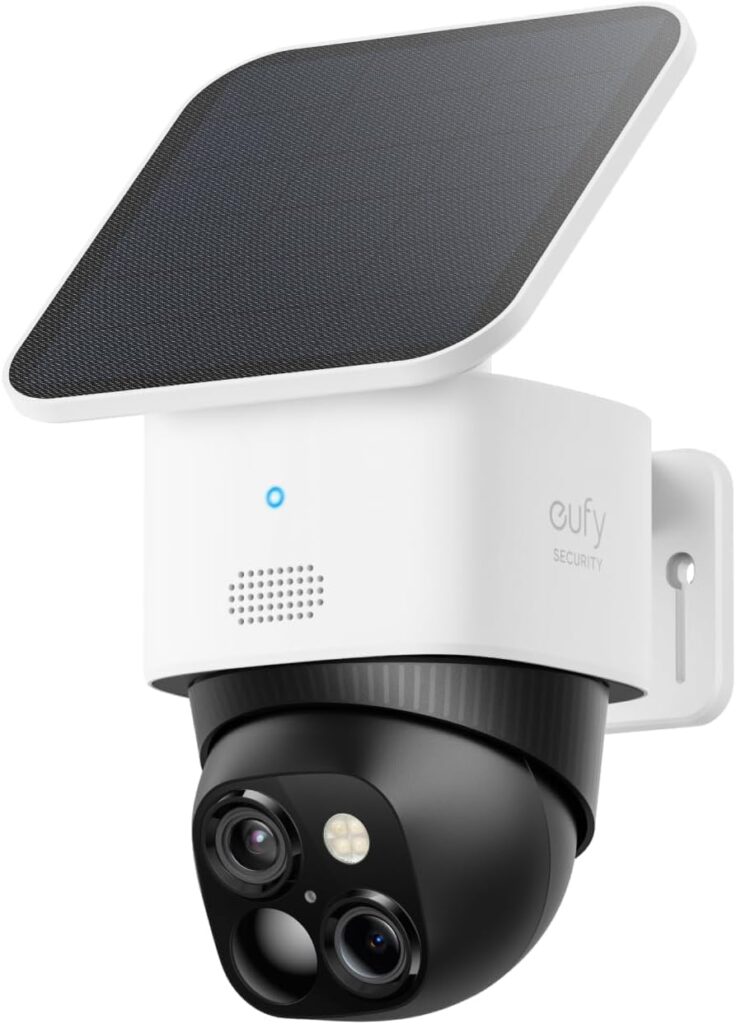
The SoloCam S340 pairs a genuinely efficient removable solar panel — needing just 2 hours of daily direct sunlight to maintain a perpetual charge — with 3K dual-camera clarity, 8x zoom, and full 360° pan-and-tilt coverage that eliminates the blind spots a fixed camera would miss. Built-in 8GB storage means it starts recording immediately with zero additional purchase required, and the whole setup takes about 7 minutes according to eufy. It works fully standalone or can connect to a HomeBase S380 hub later for expanded storage if your needs grow.
Best Image Quality: Reolink Argus 4 Pro
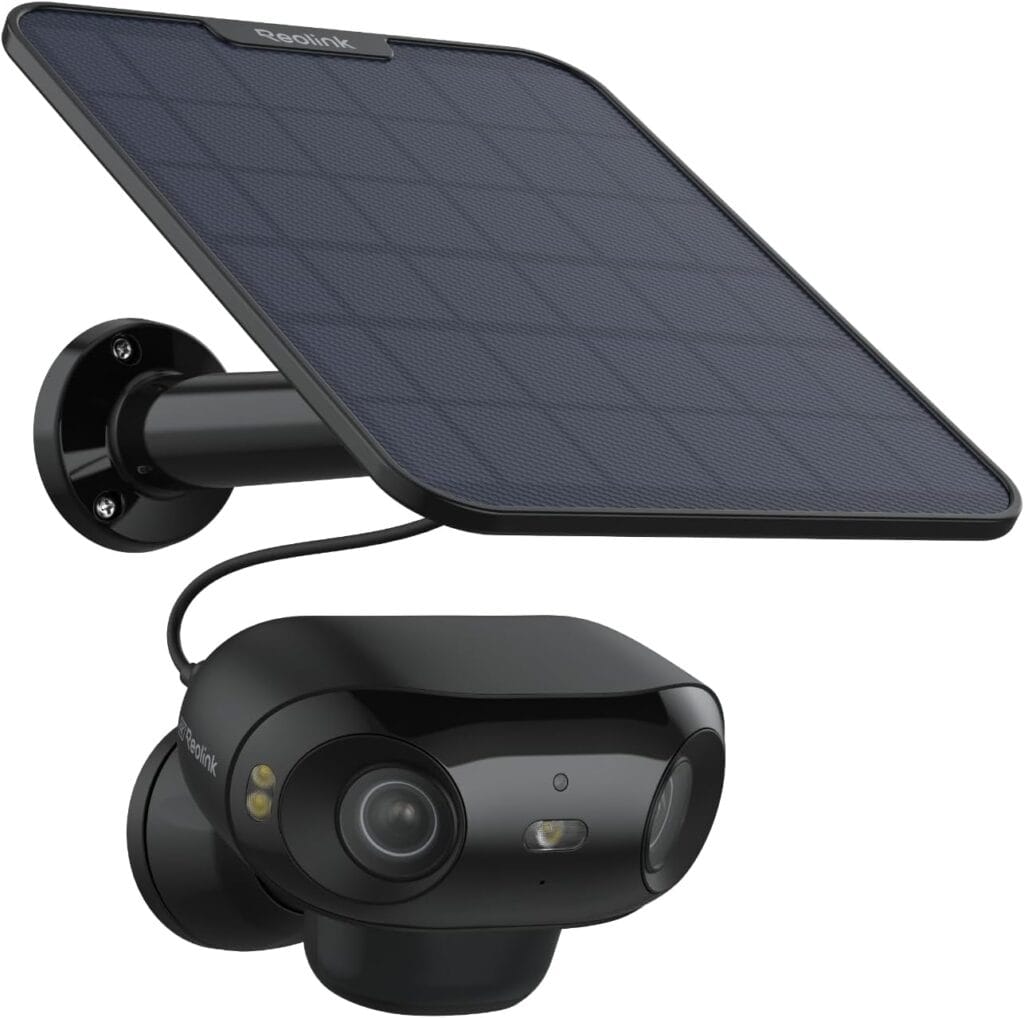
For genuinely excellent image quality, the Argus 4 Pro’s dual-lens 4K setup and ColorX night vision (usable color detail down to roughly 0.5 lux) sets a high bar most competitors at similar price points don’t match. Dual-band Wi-Fi gives more reliable connectivity than 2.4GHz-only competitors, and the removable battery pack lets you hot-swap a charged spare rather than waiting through a recharge cycle. Full AI person/vehicle/animal detection runs with zero subscription required. Just budget for occasional manual charging in extended winter cloud cover, as documented honestly in our full Argus 4 Pro review.
Best for Zero Wi-Fi at All: Reolink Go Plus
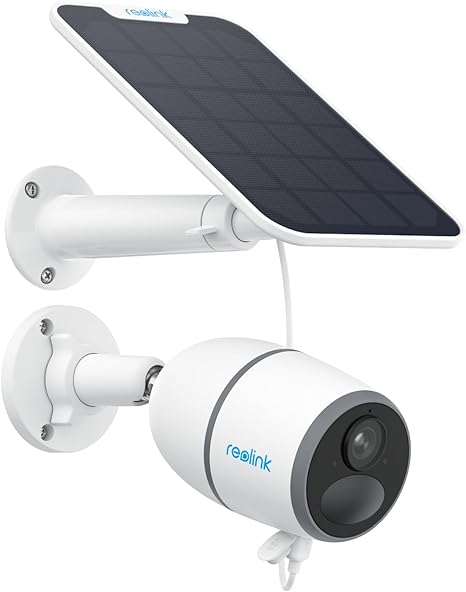
This is the only pick in this guide that eliminates infrastructure entirely — no power, no wiring, and no Wi-Fi required, since it transmits over 4G/5G cellular using its own SIM card. The paired solar panel keeps the internal battery topped up indefinitely, making it genuinely install-anywhere: construction sites, farms, remote gates, hunting cabins, or any location without broadband or reliable Wi-Fi signal. Requires an active nano SIM data plan (compatible with AT&T, Verizon, and T-Mobile) — a real ongoing cost, but the only path to true zero-infrastructure remote monitoring.
Placement Tips for Reliable Solar Performance
South-facing placement gets the most consistent sun across the day in the Northern Hemisphere — position the panel (or angle the camera’s integrated panel) to avoid shade from trees, eaves, or nearby structures during peak midday hours.
Separate the panel from the camera when possible. Several models allow the solar panel to be mounted separately from the camera itself via a connecting cable — useful when the ideal camera angle and the ideal sun exposure aren’t the same spot on your property.
Clean the panel periodically. Dust, pollen, and grime meaningfully reduce charging efficiency over time — a quick wipe every few months keeps output closer to rated performance.
Frequently Asked Questions
Do solar security cameras still need Wi-Fi?
Yes, unless the specific model includes cellular (4G/5G LTE) connectivity. The solar panel only solves the power problem — eliminating the need to charge the battery manually or run electrical wiring. Standard Wi-Fi solar cameras still need a Wi-Fi network at the install location to stream footage and send alerts; only cellular models work with zero network infrastructure at all.
How much sunlight does a solar security camera actually need?
It varies by model, but well-designed systems can maintain perpetual charge with as little as 2 hours of direct daily sunlight, backed by a substantial internal battery that provides weeks of reserve power for cloudy stretches. Winter performance in northern climates is the honest exception — extended overcast periods combined with cold can outpace even efficient solar charging, so plan for occasional manual top-ups during winter months.
Can a solar security camera work in a location with no Wi-Fi and no cell signal?
No — if a location has neither Wi-Fi nor cellular coverage, no wireless camera (solar or otherwise) can transmit live footage or alerts. In that specific scenario, your only option is a camera recording purely to local storage (a microSD card), which you’d retrieve or check periodically rather than monitoring remotely in real time.
Is a cellular solar camera worth the ongoing data plan cost?
Only if your location genuinely has no Wi-Fi access — for anywhere within Wi-Fi range, a standard Wi-Fi solar camera delivers the same core functionality without a recurring cellular bill. Cellular solar cameras earn their cost specifically for remote cabins, rural gates, farms, and construction sites with no broadband infrastructure at all.
How long do solar security camera batteries last without any sun?
This varies significantly by model and usage, but quality systems are designed with enough internal battery reserve to bridge weeks of cloudy weather without needing a recharge, assuming at least some periodic sun exposure. Continuous heavy cloud cover for an extended period — as documented in real winter testing — can still outpace the battery’s reserve eventually.
Final Verdict
| Your Situation | Best Pick |
|---|---|
| Best value, efficient solar charging | eufy SoloCam S340 |
| Best image quality, has Wi-Fi at the location | Reolink Argus 4 Pro |
| No Wi-Fi available at all — remote property | Reolink Go Plus |
The Bottom Line
Before choosing any solar security camera, answer one question first: does the install location have Wi-Fi coverage? If yes, the eufy SoloCam S340 or Reolink Argus 4 Pro both deliver genuinely capable, subscription-free coverage with solar eliminating any charging concerns. If the answer is no — a remote cabin, rural gate, or property with zero broadband infrastructure — the Reolink Go Plus is the only option in this guide that actually works, using cellular data instead of Wi-Fi entirely.
For the full lineup of subscription-free security cameras, see our best security cameras without subscription guide. For more on cellular and no-Wi-Fi camera options specifically, see our can security cameras work without Wi-Fi guide.