This post contains affiliate links. If you buy through our links we may earn a small commission — at no extra cost to you. This never influences our recommendations.
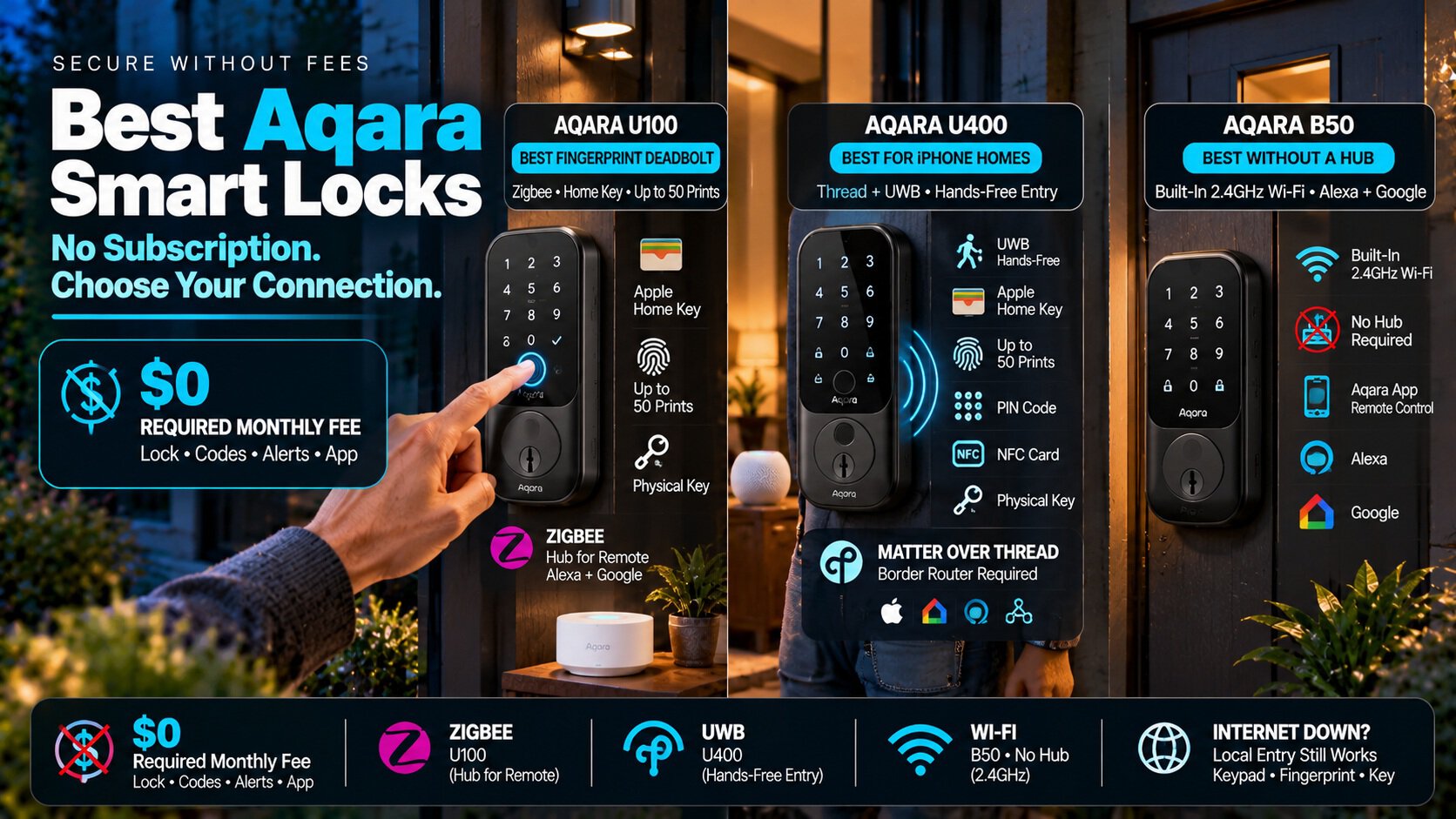
Aqara built its smart locks around Apple Home and Matter, and it sells them without a subscription. Aqara’s own FAQ says its locks are standalone devices that don’t require one.
The catch is how each lock connects. Some need a hub or border router for remote control, and one connects straight to Wi-Fi. Here’s the lineup, and three locks worth buying.
| Lock | Connection | Best For |
|---|---|---|
| Aqara Smart Lock U100 | Zigbee, with Apple Home Key | A fingerprint deadbolt, if you have a hub |
| Aqara Smart Lock U400 | Matter over Thread, plus ultra-wideband | iPhone households that want hands-free entry |
| Aqara Smart Lock B50 | Built-in Wi-Fi | Alexa or Google homes with no hub |
What You Pay After You Buy
Nothing for the lock itself. The Aqara Home app is free, and locking, codes, and alerts don’t sit behind a plan.
Aqara does sell an optional cloud subscription, but Aqara’s own pages tie it to cameras, for video storage and AI detection. That’s not something these locks need.
The Hub Question
The U100 uses Zigbee, not Wi-Fi. Without a hub, it works over Bluetooth when you’re nearby. For remote unlocking, Alexa, and Google, Aqara says you need an Aqara Zigbee 3.0 hub, and an Apple Home hub for Apple’s remote features and Home Key sharing.
The U400 uses Thread. For remote control and Matter features, you need a Thread border router, such as an Apple TV 4K, a HomePod mini, or an Aqara hub.
The U400’s hands-free unlock also needs a Thread-enabled Apple home hub, an iPhone 11 or later, and an Apple Watch Series 6 or later. If you don’t own that hardware yet, factor it into the cost.
The B50 skips all of that. It connects to 2.4GHz Wi-Fi with no bridge, though Aqara notes that turning Wi-Fi on increases power use.
Where Aqara Comes From
Aqara is a brand of Lumi United Technology, headquartered in Shenzhen, China. It isn’t one of the companies named on the FCC’s Covered List, which includes Huawei, ZTE, Hikvision, Dahua, and Hytera.
Aqara says personal data stored on its local servers isn’t sent to mainland China without desensitization, and its cloud runs on AWS. Its privacy policy also allows disclosure to comply with local government requirements.
If that matters to you, use the lock through Apple Home or Matter. Aqara says its hubs support offline operation and local automation, so control can stay on your network.
Our Picks
Aqara Smart Lock U100 — Best Fingerprint Deadbolt
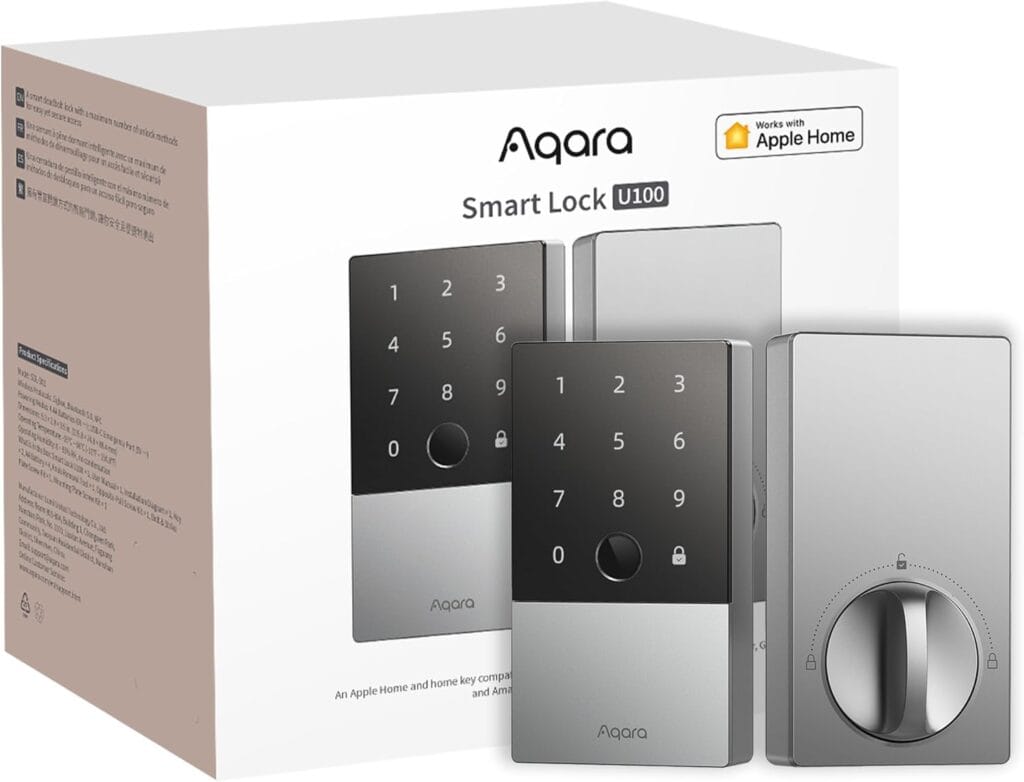
The U100 is a full deadbolt with a fingerprint reader that stores up to 50 prints, plus a touchscreen keypad and a physical key. It supports Apple Home Key, so tapping an iPhone or Apple Watch opens the door, even if the phone’s battery is dead.
It runs on replaceable AA batteries that Aqara rates for up to 8 months, assuming 8 fingerprint unlocks a day. A USB-C port can power it in an emergency, and the outer panel is IP65 weatherproof.
| Pros | Cons |
|---|---|
| Fingerprint (up to 50 prints), keypad, key, and Apple Home Key | Remote control, Alexa, and Google need an Aqara Zigbee 3.0 hub |
| Replaceable AA batteries, up to 8 months per Aqara | No Wi-Fi, so it’s limited without a hub |
| USB-C emergency power and an IP65 outer panel | Aqara says it meets BHMA Level 3 structural security, the lowest tier |
Best for: Apple Home users who want a fingerprint deadbolt and already own a hub, or don’t mind buying one.
Full details and current price: Aqara Smart Lock U100 on Amazon
Aqara Smart Lock U400 — Best for iPhone Households
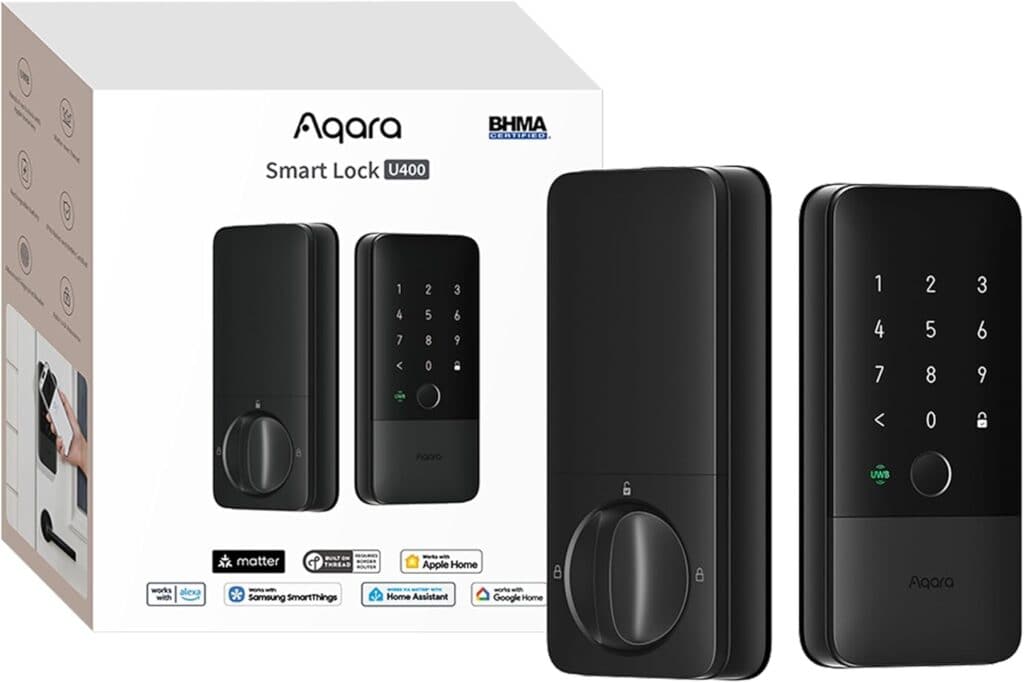
The U400 uses ultra-wideband to unlock as you walk up with your iPhone or Apple Watch in your pocket, with no tap needed. It also has a fingerprint reader storing up to 50 prints, a touchscreen keypad, NFC card support, and a physical key.
It launched at $269.99. Matter over Thread means it works with Apple Home, Google Home, Alexa, SmartThings, and Home Assistant, though Tom’s Guide found it best suited to Apple users.
| Pros | Cons |
|---|---|
| Hands-free unlock with Apple Home Key and UWB | The priciest of the three at $269.99 at launch |
| Fingerprint, keypad, NFC card, and key all supported | Needs a Thread-enabled Apple hub for UWB unlock |
| Matter over Thread works across major platforms | The fingerprint sensor must be set up in the Aqara app |
Best for: iPhone and Apple Watch households that want the most hands-free entry.
Full details and current price: Aqara Smart Lock U400 on Amazon
Aqara Smart Lock B50 — Best Without a Hub
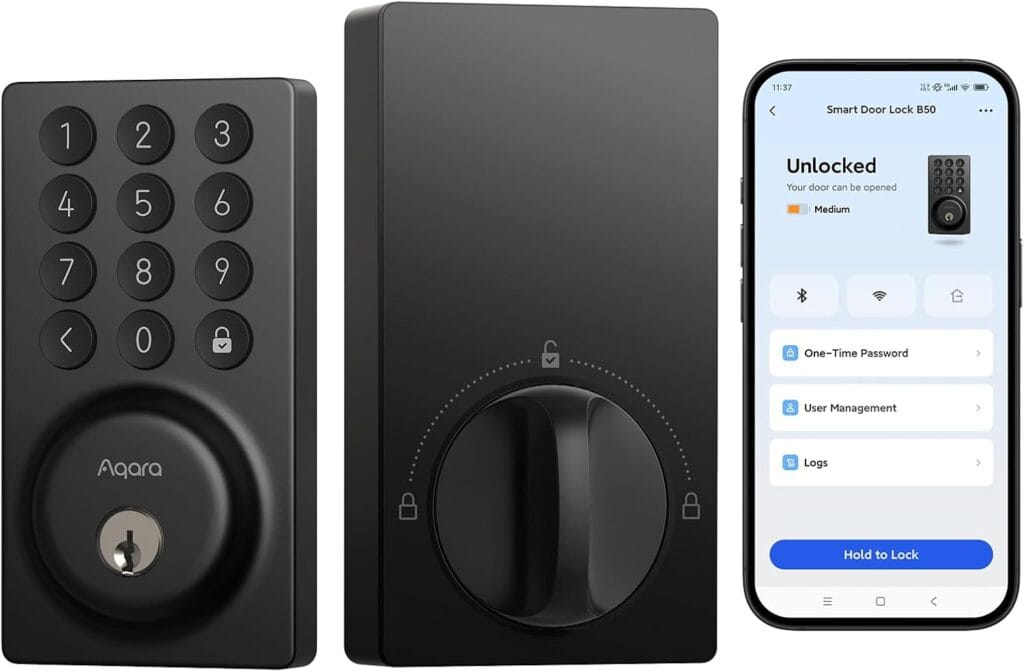
The B50 is Aqara’s first Wi-Fi deadbolt. It has a built-in keypad, needs no bridge, and works with Alexa and Google Assistant, with remote control through the Aqara app.
Amazon’s listing names Alexa and Google, not Apple Home, so it’s the pick for everyone else. It only connects to 2.4GHz Wi-Fi, and Aqara warns that Wi-Fi mode uses more battery.
| Pros | Cons |
|---|---|
| Built-in Wi-Fi with no hub or bridge | Wi-Fi mode uses more battery |
| Keypad deadbolt that works with Alexa and Google | 2.4GHz networks only |
| Remote control through the Aqara app | Listing doesn’t mention Apple Home support |
Best for: Alexa and Google households that want remote control without buying a hub.
Full details and current price: Aqara Smart Lock B50 on Amazon
Comparing brands? Our best smart locks roundup and Yale Assure Lock 2 review cover the alternatives.
Frequently Asked Questions
Do Aqara smart locks need a subscription?
No. Aqara says its locks are standalone devices that don’t require one. Its optional cloud plans are for cameras.
Do I need a hub?
The U100 needs an Aqara Zigbee 3.0 hub for remote control, Alexa, and Google, or an Apple Home hub for Apple’s remote features. The U400 needs a Thread border router. The B50 uses Wi-Fi and needs no hub.
Which Aqara lock works with Apple Home Key?
The U100 and U400 both do. Only the U400 adds hands-free ultra-wideband unlocking.
Will it still work if the internet goes down?
Local access like the keypad, fingerprint, and key keeps working. Remote control stops until the connection returns.
Is Aqara a safe brand to buy?
It’s a Shenzhen-based company that isn’t on the FCC Covered List. If data location matters to you, run the lock through Apple Home or Matter so control stays local.
Final Verdict
| Lock | Best For |
|---|---|
| Aqara Smart Lock U100 | A fingerprint deadbolt for Apple Home users with a hub |
| Aqara Smart Lock U400 | Hands-free entry for iPhone households |
| Aqara Smart Lock B50 | A simple Wi-Fi lock with no hub |
Start with the U100 if you want a fingerprint deadbolt and already have a hub. Pay for the U400 only if hands-free entry matters to you, and pick the B50 if you’d rather skip hubs altogether.