
This post contains affiliate links. If you buy through our links we may earn a small commission — at no extra cost to you. This never influences our recommendations.
An NVR system is the most complete answer to “no subscription” in home security. Unlike battery-powered WiFi cameras that record motion-triggered clips, a proper NVR (Network Video Recorder) setup records every camera continuously, 24/7, storing everything on a hard drive sitting in your own home. No cloud, no monthly fee, no gaps in coverage waiting for a motion trigger to fire.
This guide covers how NVR systems work, what to look for, and the best complete kits for covering an entire property without a single recurring charge.
What Is an NVR System, and Why Is It Different?
An NVR (Network Video Recorder) is a dedicated local hub that receives digital video streams from IP cameras over your network and records them to an internal hard drive. This is fundamentally different from the standalone WiFi cameras covered in our other guides — instead of each camera managing its own limited local storage, every camera in the system feeds into one central recorder with far greater capacity.
The cameras themselves are almost always PoE (Power over Ethernet) — a single Ethernet cable carries both power and video data to each camera, eliminating the need for a separate power adapter at every camera location. This is more reliable than WiFi for permanent installations, since it isn’t subject to wireless interference or router range limitations, and it enables genuine 24/7 continuous recording rather than motion-triggered clips only.
NVR vs Standalone WiFi Cameras — Which Fits Your Situation
Choose an NVR system if: you want to cover an entire property (4+ cameras) with continuous 24/7 recording, you’re comfortable running Ethernet cable during installation (or hiring help for it), and you want the most storage capacity and longest video retention available without any subscription.
Choose standalone WiFi cameras instead if: you’re renting and can’t run cable, you only need 1–2 cameras, or you want the flexibility to reposition cameras without rewiring. See our best security cameras without subscription guide for that category.
Many households end up using both — an NVR system for permanent whole-property coverage, plus a battery camera or two for spots where running cable isn’t practical.
What to Check Before Buying an NVR Kit
Channel count vs included cameras: An “8-channel” NVR supports up to 8 cameras total, even if the kit only includes 4. Buying a kit with more channels than cameras included gives you room to expand later without replacing the NVR itself.
Storage capacity and retention: A 2TB drive typically holds 10–14 days of continuous 4K footage from 4 cameras using H.265 compression; a 4TB drive extends that to roughly 20–30 days. If you want 60+ days of retention, budget for a 4TB drive or higher, or set the system to record on motion detection rather than continuously.
H.265 vs H.264 compression: H.265 compression reduces file sizes by up to 50% compared to older H.264 at the same video quality — meaningfully extending how long your existing storage lasts before old footage gets overwritten. Confirm any kit you’re considering uses H.265 (sometimes labeled H.265+).
AI detection location: In most modern systems, person/vehicle/animal detection processing happens on the camera itself, not the NVR — meaning even a basic NVR benefits from smart detection as long as the cameras support it. This filters out false alerts from blowing leaves, shadows, and small animals.
ONVIF compatibility: This is an open standard that lets the NVR work with third-party cameras beyond the manufacturer’s own lineup, and lets you feed the same camera streams into other software (Home Assistant, Frigate, Blue Iris) if you want more advanced automation later. Not essential for a basic setup, but valuable if you might expand or customize down the line.
Best NVR Systems Without Subscription — Verified Picks
| Product | Cameras Included | Resolution | Storage | Best For |
|---|---|---|---|---|
| Reolink RLK8-800B4 | 4 (expandable to 12) | 4K (8MP) | 2TB (expandable to 16TB) | Best overall balance |
| Amcrest NV4108E System | 4 (expandable to 8) | 4K (8MP) | 2TB (expandable to 10TB) | Best value, US-based company |
| Reolink RLK16-800B8 | 8 (expandable to 16) | 4K (8MP) | 4TB (expandable further) | Best for larger properties |
Best Overall Balance: Reolink RLK8-800B4
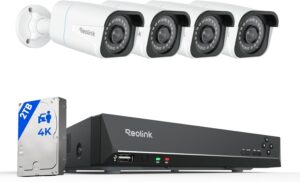
Reolink has become one of the most respected names in the local-storage camera space, and the RLK8-800B4 is the clearest expression of why. Four 8MP (4K) PoE cameras deliver genuinely sharp footage — nearly four times the clarity of 1080p — with H.265 compression keeping file sizes manageable. Person and vehicle AI detection runs on the cameras themselves, filtering out the false alerts that plague basic motion-only systems.
The 8-channel NVR ships with a pre-installed 2TB hard drive, expandable up to 16TB (two 8TB drives), giving genuine headroom to extend retention well beyond the out-of-box configuration. Critically, the NVR supports up to 12 total channels and is compatible with Reolink’s broader camera lineup — including several battery and WiFi models — so you can mix wired and wireless cameras on the same system as your coverage needs grow. Setup is plug-and-play PoE: run a cable to each camera location, connect to the NVR’s PoE ports, and the system auto-detects each unit. All footage stays local with zero recurring cost; internet is only needed for remote viewing, not for local recording.
Pros: True 4K clarity, H.265 compression, expandable to 12 channels and 16TB, person/vehicle AI detection included, plug-and-play PoE setup, works with a broader Reolink camera ecosystem
Cons: Requires Ethernet cable runs to each camera; system works exclusively with Reolink-compatible cameras
Best for: Most homeowners wanting reliable, expandable whole-property coverage with room to grow
Best Value, US-Based Company: Amcrest NV4108E System
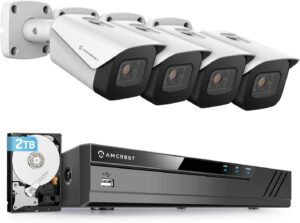
Amcrest is the only major brand in this category headquartered and operating domestically in the United States — based in Houston, Texas, with in-house design and US-based warehouses. For privacy-conscious buyers, that matters: the company operates under American data protection law rather than being subject to foreign data-sharing requirements, a meaningful consideration for anyone specifically avoiding cloud-connected security hardware from overseas manufacturers.
The complete system pairs four 8MP (4K) bullet or turret PoE cameras with an 8-channel NVR and a pre-installed 2TB hard drive, expandable up to 10TB — the highest single-drive expansion ceiling of any kit in this guide. H.265 compression keeps storage efficient, and the cameras include built-in microphones for one-way audio monitoring. ONVIF and RTSP protocol support mean the system integrates cleanly with third-party recording software if you want to expand beyond Amcrest’s own ecosystem later — Blue Iris, Frigate, and Home Assistant are all viable options via this open compatibility. An optional Amcrest Cloud plan exists for those who want off-site backup, but every core feature — recording, AI-assisted detection on compatible cameras, live viewing, and playback — works completely free with zero feature gating.
Pros: US-based company and manufacturing oversight, expandable up to 10TB, ONVIF/RTSP support for third-party software integration, built-in camera microphones, optional (not required) cloud backup
Cons: Full compatibility limited primarily to Amcrest’s own camera lineup; third-party camera support is described as limited rather than seamless
Best for: Privacy-focused buyers who specifically want a US-headquartered company, anyone wanting future flexibility to integrate with open-source NVR software
Best for Larger Properties: Reolink RLK16-800B8
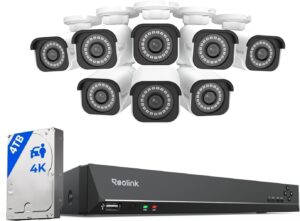
For larger homes, multi-building properties, or anyone who wants comprehensive coverage from day one rather than expanding incrementally, the RLK16-800B8 starts with eight 8MP (4K) PoE cameras and a 16-channel NVR — double the camera count and channel capacity of the standard 8-channel kits, with room to add up to 8 more cameras later. The pre-installed 4TB hard drive holds substantially more footage than the 2TB drives standard in smaller kits, and the same expansion path (additional SATA drives) extends retention further still.
Every core feature matches the smaller Reolink kit — H.265 compression, person/vehicle AI detection processed on-camera, plug-and-play PoE installation, and full local storage with zero subscription requirement. The higher channel count is what genuinely differentiates this kit: covering a property’s front, back, sides, driveway, garage, and interior common areas simultaneously without running out of NVR ports partway through installation.
Pros: 8 cameras included with room for 8 more, 4TB pre-installed storage, same H.265 efficiency and AI detection as smaller kits, ideal for comprehensive single-purchase coverage
Cons: Significant installation project — 8 Ethernet runs is considerably more cabling work than a 4-camera kit; higher upfront cost
Best for: Large properties, multi-building coverage, anyone who wants complete coverage in one purchase rather than incremental expansion
Installation: What to Actually Expect
Modern PoE NVR kits are designed for ordinary homeowners, not just professional installers. A typical setup: mount cameras at each planned location, run CAT5e or CAT6 Ethernet cable from each camera back to the NVR (most kits include cables up to 60–100ft; standard CAT6 can run up to 328ft if longer distances are needed), connect each camera to a PoE port on the NVR, and power on. The system auto-detects each camera and begins recording immediately — no separate power adapter needed per camera, since power travels over the same Ethernet cable as the data.
For a typical single-family home, plan on one camera each covering the front entry, driveway, back yard, and a rear entry point as a starting configuration. The NVR itself goes in a utility space near your router — a closet, basement, or garage — with an HDMI connection available if you want a dedicated monitor for local live viewing.
Frequently Asked Questions
Do NVR security systems really have zero monthly fees?
Yes — the core value proposition of a local NVR system is that all recording, storage, and playback happen entirely on hardware you own, with no cloud dependency for basic function. Internet access is only needed for remote viewing from outside your home network; local recording and playback work with zero internet connection at all. Some brands offer optional cloud backup as an add-on, but it’s never required for the system to function.
How much storage do I actually need for continuous 24/7 recording?
For four 4K (8MP) cameras recording continuously with H.265 compression, a 2TB drive typically retains 10–14 days before the oldest footage is automatically overwritten. Stepping up to 4TB roughly doubles that to 20–30 days. If you want 60+ days of history, plan for 4TB minimum, or configure the system to record only on motion detection rather than continuously — which dramatically extends retention at the cost of not having footage during gaps between detected events.
Can an NVR system work without internet access?
Yes — local recording and storage function completely independently of your internet connection. An internet outage only affects remote viewing and push notifications; the NVR keeps recording locally to its hard drive the entire time. This is a genuine advantage over cloud-dependent systems, which typically stop functioning entirely without an active internet connection.
What’s the difference between an NVR and a DVR?
An NVR (Network Video Recorder) works with digital IP cameras that send already-processed digital video over Ethernet or WiFi — this is the modern standard and what every kit in this guide uses. A DVR (Digital Video Recorder) works with older analog cameras connected via coaxial cable, converting the analog signal to digital at the recorder. NVR systems generally offer higher resolution, easier installation via PoE, and better remote access support than DVR setups.
How many cameras can I add to an NVR system later?
It depends on the NVR’s channel count, not the number of cameras included in your initial kit. An “8-channel” NVR supports up to 8 total cameras even if you start with 4 — buying a kit with extra channel headroom is the practical way to plan for future expansion without replacing the recorder itself. Some NVRs also support additional WiFi or battery-powered cameras beyond the wired PoE channel count, further extending flexibility.
Final Verdict
| Your Situation | Best Pick |
|---|---|
| Best overall balance for most homes | Reolink RLK8-800B4 (B07K734ZTW) |
| US-based company, open software compatibility | Amcrest NV4108E System (B07VL6F1G2) |
| Larger properties, comprehensive single-purchase coverage | Reolink RLK16-800B8 (B082KGF6FX) |
For most homeowners setting up whole-property coverage for the first time, the Reolink RLK8-800B4 delivers the strongest balance of image quality, AI detection, and expandability. Privacy-focused buyers who specifically want a US-headquartered manufacturer and future flexibility with open-source recording software should look at the Amcrest system. And for larger properties needing comprehensive coverage from day one, the Reolink RLK16-800B8’s 8-camera starting point and 16-channel ceiling make it the right foundation.
For entry points that don’t need a full NVR installation, see our best security cameras without subscription guide and best video doorbells without monthly fees guide to round out a complete property security setup.