
This post contains affiliate links. If you buy through our links we may earn a small commission — at no extra cost to you. This never influences our recommendations.
A UniFi NVR is the box that runs UniFi Protect, records your cameras to its own hard drives and serves them to the app. There is no monthly fee for recording, remote viewing or smart alerts from UniFi cameras.
The catch is that it is a system, not a gadget. Only one model has built-in PoE, drives are sold separately, and UniFi cameras work only with a UniFi console.
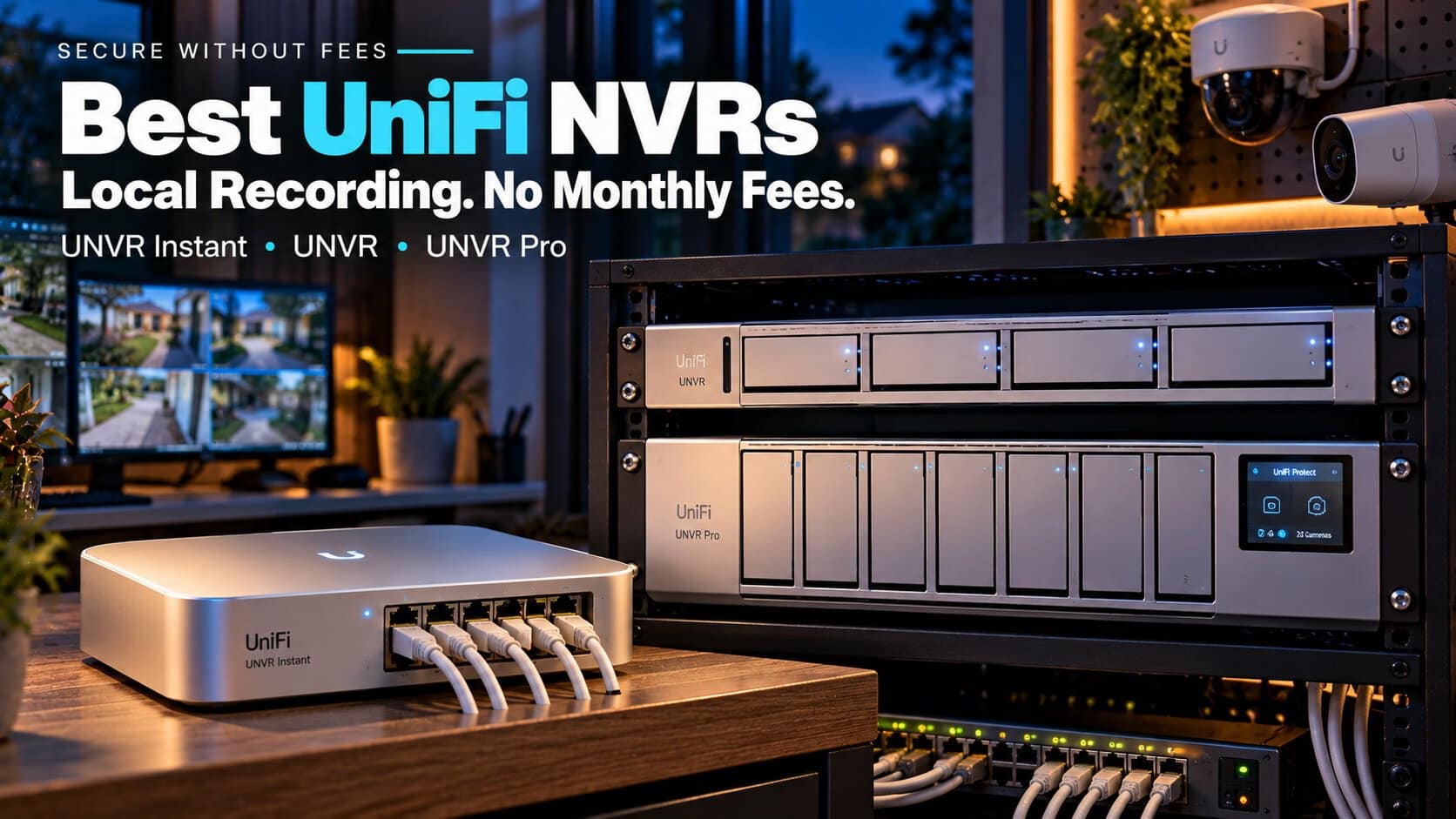
Here are the three UniFi NVRs that make sense for a home or small business right now.
| Model | Drive bays | 4K camera capacity | Built-in PoE | Ubiquiti list price |
|---|---|---|---|---|
| UniFi UNVR Instant | 1 (3.5″) | 6 | Yes, 6 ports (40W total) | $199 |
| UniFi UNVR | 4 | 18 | No | $299 |
| UniFi UNVR Pro | 7 | 24 | No | $499 |
What Works With No Subscription
Everything that matters for recording is free. Footage stays on the NVR’s drives, and you can watch live or play back from anywhere through the UniFi Protect app and a free UI account.
Person, vehicle and package detection run on UniFi cameras that support them, with no plan. Ubiquiti doesn’t sell a cloud-recording subscription for Protect, so there is nothing to upsell.
The real costs are upfront: the NVR, the drives, the cameras, and usually a PoE switch. If you want to compare that model with cloud plans, see local storage vs cloud storage.
What to Know Before You Buy
Drives are not included. Ubiquiti calls for 1TB or larger CMR drives at 7,200 RPM, according to iFeelTech’s comparison. Budget for them on top of the NVR price.
Most models need a PoE switch. The UNVR and UNVR Pro have network ports only. Cameras plug into a PoE switch, which plugs into the NVR.
Cameras are the lock-in. UniFi cameras need a UniFi console. Protect 5.0 added support for third-party ONVIF cameras, but NAS Compares’ testing found that support is basic: live view and recording work, while the smart detection features stay limited.
If you are still picking cameras, our UniFi Protect cameras guide covers which ones pair well with these recorders.
The Best UniFi NVRs
UniFi UNVR Instant
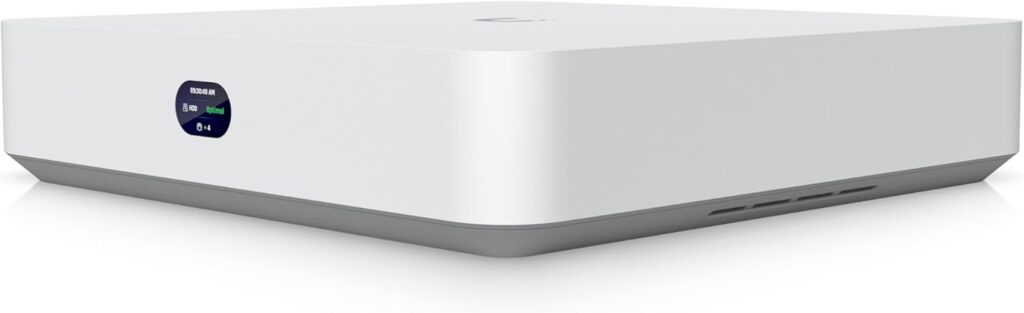
The Instant is the easiest way into UniFi Protect. It has a built-in 6-port PoE switch, so cameras plug straight in with no extra hardware, and an HDMI port for showing feeds on a TV.
The limits are real, though. It takes one 3.5″ drive with no RAID, tops out at six 4K cameras, and its 40W PoE budget (15.4W per port) can run out with power-hungry cameras. It also doesn’t run UniFi Network, so it relies on your existing router for addresses.
| Pros | Cons |
|---|---|
| Built-in PoE, no switch needed HDMI output for a TV Lowest entry price |
Single drive, no RAID Six 4K cameras max 40W total PoE budget |
Best for: Homes with four to six cameras that want the simplest setup.
Full details and current price: Ubiquiti UniFi UNVR Instant on Amazon
UniFi UNVR
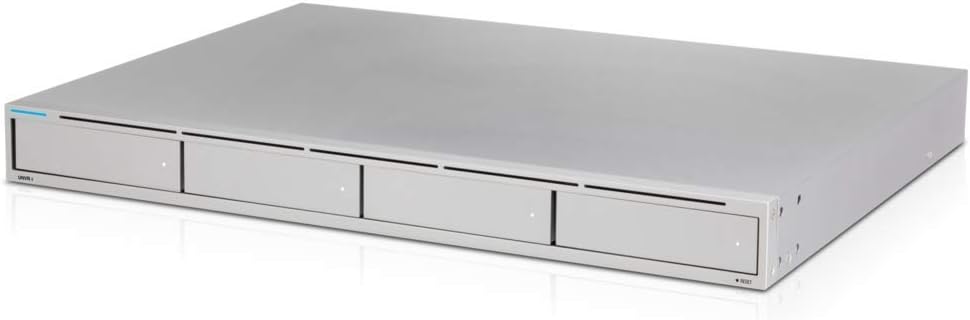
The standard UNVR is a 1U rack unit with four drive bays and RAID 1, 5 or 10, so a single failed drive doesn’t wipe your footage. Ubiquiti rates it for 18 4K cameras or 60 HD cameras.
It has a 10G SFP+ port and a Gigabit port but no PoE, so plan on a separate PoE switch. It fits a rack or a shelf, but it is not a box you’ll want sitting in the living room.
| Pros | Cons |
|---|---|
| Four bays with RAID Room for 18 4K cameras 10G SFP+ uplink |
No built-in PoE Rack-style form factor Drives sold separately |
Best for: Larger homes and small businesses with a network cabinet.
Full details and current price: Ubiquiti UniFi UNVR on Amazon
UniFi UNVR Pro
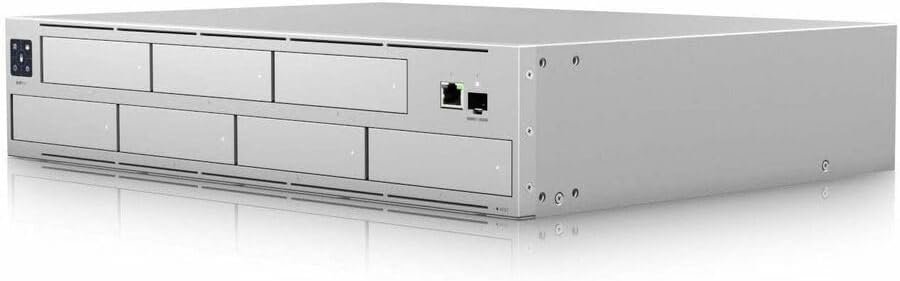
The Pro steps up to seven drive bays in a 2U chassis and handles 24 4K cameras or 70 HD cameras. It adds a small front touchscreen for status and supports Ubiquiti’s redundant power supply.
For most homes it is overkill. It earns its price on long retention or larger camera counts, where the extra bays let you keep weeks more footage.
| Pros | Cons |
|---|---|
| Seven bays for long retention 24 4K cameras Redundant power support |
No built-in PoE Overkill for small systems Large 2U chassis |
Best for: Businesses and big properties that want weeks of 4K footage.
Full details and current price: Ubiquiti UniFi UNVR Pro on Amazon
What About the UNVR G2?
Ubiquiti’s newer UNVR G2 ($699) and G2 Pro ($999) add built-in AI analytics and HDMI output. Both show as out of stock on Ubiquiti’s US store with no restock date, so they are hard to recommend right now.
If you want an NVR with built-in PoE outside the UniFi ecosystem, the Reolink RLN16-410 is a cheaper alternative. For more options, see our best NVR systems without subscription.
FAQ
Does UniFi Protect charge a monthly fee?
No. Recording, remote viewing and smart detection on supported UniFi cameras are included. You pay only for the hardware.
Do UniFi NVRs come with hard drives?
No. The UNVR Instant Kit includes a 1TB drive, but the standalone recorders ship empty.
Do I need a PoE switch with a UniFi NVR?
With the UNVR or UNVR Pro, yes. The UNVR Instant has six PoE ports built in, though you can add a switch if you outgrow them.
Can a UniFi NVR record non-UniFi cameras?
Yes, ONVIF cameras can be added since Protect 5.0. Smart detection features are limited on them compared with UniFi’s own cameras.
Do I need a UniFi router to use a UniFi NVR?
No. These NVRs run Protect on their own and work behind any router. A UniFi gateway is only needed if you want UniFi Network as well.
Final Verdict
| Model | Best For |
|---|---|
| UniFi UNVR Instant | Small homes, simplest setup |
| UniFi UNVR | Larger homes and small businesses |
| UniFi UNVR Pro | Long retention and bigger camera counts |
For most homes, the UNVR Instant is the one to start with. Pick the four-bay UNVR once you need RAID or more than six 4K cameras, and save the Pro for business-scale systems.