
This post contains affiliate links. If you buy through our links we may earn a small commission — at no extra cost to you. This never influences our recommendations.
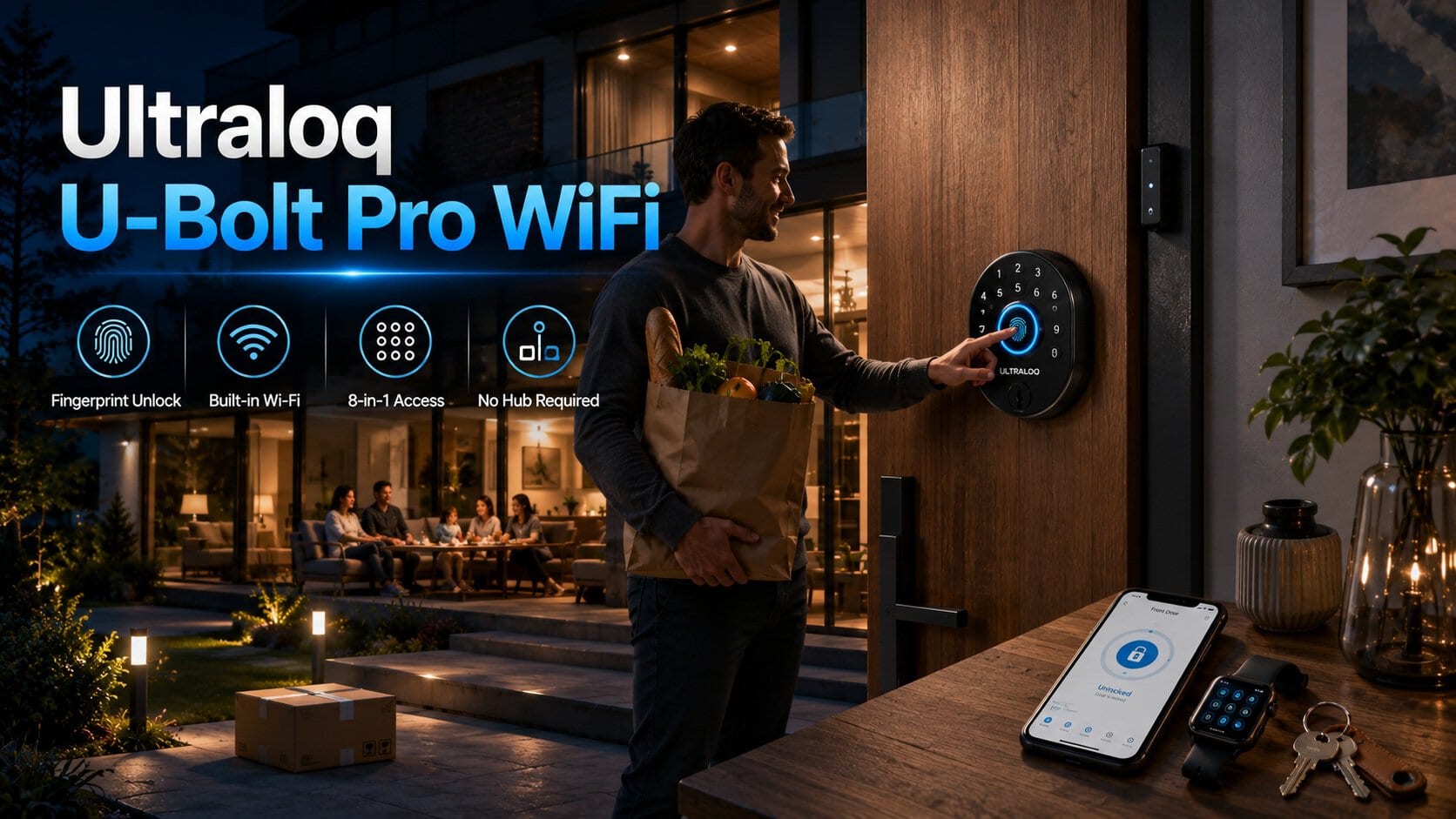
The U-Bolt Pro WiFi is the lock we recommend for households wanting the widest range of entry methods — and after digging into multiple independent long-term tests, that recommendation holds up. This review covers the full spec sheet, what real testers found after weeks of daily use, and one genuine Wi-Fi setup issue worth knowing about before you buy.
Full Specifications
| Spec | Ultraloq U-Bolt Pro WiFi |
|---|---|
| Entry methods | 8-in-1: fingerprint, keypad code, app, auto-unlock (geofencing), physical key, eKey sharing, Apple Watch, voice assistant |
| Fingerprint recognition | AI-based self-learning, 0.3s unlock, ~99.8% accuracy claimed |
| Wi-Fi connectivity | Built-in, 2.4GHz only — no hub or bridge required |
| Door sensor | Included — confirms door is closed before auto-locking |
| Power | 4x AA batteries, ~1 year typical life; micro-USB emergency backup port |
| Backup key | 2x physical mechanical keys included |
| Security rating | Sources conflict — see note below |
| Smart home support | Alexa, Google Assistant, SmartThings, IFTTT — no Apple HomeKit, no Amazon Key |
| Installation | Standard screwdriver, no hub, ~15 minutes reported |
| Price range | Typically $120–170, frequently discounted |
Fingerprint Performance — Consistently the Standout Feature
Across every independent review referenced for this piece, the fingerprint scanner is singled out as one of the best on any consumer smart lock. Multiple testers reported flawless, near-instant recognition across weeks of daily use, with keyless entry via app, code, and fingerprint all working reliably with minimal delay. One long-term tester specifically noted it as “among the best I’ve seen on a consumer product” after extended real-world use — not just an initial impression.
The Honest Wi-Fi Setup Issue
This is worth flagging directly rather than glossing over: one detailed independent test ran into a genuine connectivity problem during setup. The lock’s Wi-Fi pairing process would not connect to a mesh network, and the reviewer discovered the device only supports 2.4GHz — with the added complication that the phone used for setup also cannot be connected to a 5GHz network during pairing. For households with combined or auto-switching mesh Wi-Fi bands (increasingly common with modern routers), this can mean digging into router settings to temporarily isolate the 2.4GHz band for setup — a genuine hassle that “for most users is probably asking too much,” in that reviewer’s words.
Once past initial setup, day-to-day Wi-Fi performance was reported as reliable by every source reviewed. This is specifically a pairing-process friction point, not an ongoing reliability issue — but it’s worth going in prepared, especially if your home router doesn’t allow easily separating 2.4GHz and 5GHz networks.
Security Rating — A Genuine Discrepancy Worth Noting
Independent sources disagree on this point, and rather than picking one claim to repeat, it’s worth presenting honestly. One established review outlet reported that the lock “is not certified with an official ANSI rating,” and that when they contacted Ultraloq’s customer service directly, the company stated the lock was modeled after ANSI Grade 2 standards without holding formal certification. A more recent source states the hardware “meets ANSI Grade 1 standards” as a benchmark for durability and strength.
Given this conflict, the responsible approach is to verify current certification status directly with Ultraloq or check the specific product listing’s current claims before treating ANSI grade as a settled fact — rather than repeating either claim as confirmed.
Build Quality and Design
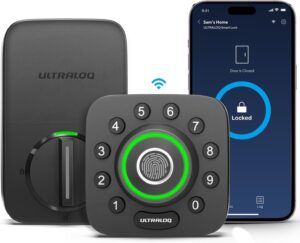
Despite images that can make it look like a lighter plastic device, multiple hands-on reviewers confirmed the U-Bolt Pro is built solidly — one reviewer specifically noted it “operates like smooth butter” and doesn’t feel flimsy in daily use. The all-black design arranges a numeric keypad ring around the central fingerprint reader, with a flip-down panel revealing a traditional keyhole for the physical backup keys. The design reads as somewhat industrial rather than minimalist — a matter of taste, though reviewers generally found it reasonable for a front door.
The Auto-Unlock and “Magic Shake” Features
Geofencing-based auto-unlock — the door unlocking automatically as your phone approaches — was tested as one of the quickest-responding implementations among competing locks in one comparison. A “magic shake” feature that unlocks the door by shaking your phone is also included, though testers noted it currently requires the app already open to work, which limits its practical convenience compared to the geofencing option.
Honest Pros and Cons
Pros: Genuinely excellent fingerprint reader (0.3s, high accuracy, consistently praised across every review), 8 total entry methods, included door sensor prevents false auto-lock, no hub required, solid build quality despite images suggesting otherwise, quick DIY installation
Cons: 2.4GHz Wi-Fi only, with a genuine setup hiccup on mesh networks reported by at least one thorough reviewer, no Apple HomeKit or Amazon Key support, ANSI security grade certification status is inconsistently reported across sources, “magic shake” feature has limited practical use in its current form
Who Should Buy the Ultraloq U-Bolt Pro WiFi
Best for:
- Larger or multi-generational households wanting the widest possible range of entry methods
- Buyers who prioritize a best-in-class fingerprint experience above other considerations
- Rental properties and Airbnb-style setups needing flexible eKey sharing and access logs
- Anyone comfortable troubleshooting router settings if their network requires it for initial Wi-Fi pairing
Consider alternatives if:
- Apple HomeKit integration is a requirement — this lock doesn’t support it
- Your home network is mesh-based with no easy way to isolate 2.4GHz, and you’d rather avoid potential setup friction entirely
- You want a lock with unambiguous, verified ANSI Grade 1 certification you can confirm without conflicting information
Frequently Asked Questions
Does the Ultraloq U-Bolt Pro WiFi require a hub?
No — it has built-in Wi-Fi and connects directly to your home network without any separate bridge or hub, a genuine improvement over the original Bluetooth-only Ultraloq model. It only supports 2.4GHz networks, which is worth confirming compatibility with before buying if your router setup is mesh-based.
What happens if the battery dies?
The lock includes a micro-USB port for emergency external power, letting you jump-start it long enough to unlock and replace the four AA batteries. It also ships with two physical mechanical keys as a full backup, so you’re never completely locked out even with a fully dead battery.
Does the Ultraloq U-Bolt Pro work with Apple HomeKit?
No — this is a confirmed limitation across every source reviewed. It supports Alexa, Google Assistant, SmartThings, and IFTTT, but not Apple HomeKit or Amazon Key. If HomeKit integration is a requirement for your smart home setup, this isn’t the right lock.
Is the Ultraloq U-Bolt Pro ANSI Grade 1 or Grade 2 certified?
Sources conflict on this point. One review found the lock wasn’t officially ANSI certified, with the manufacturer describing it as modeled after Grade 2 standards. A more recent source states it meets ANSI Grade 1 standards. Given this discrepancy, verify current certification status directly with Ultraloq or the specific product listing before treating either claim as settled.
Will the Ultraloq U-Bolt Pro connect to a mesh Wi-Fi network without issues?
Possibly not without some troubleshooting. One detailed independent test found the lock’s 2.4GHz-only Wi-Fi pairing process struggled to connect on a mesh network, requiring the reviewer to dig into router settings to temporarily isolate the 2.4GHz band during setup. Once connected, day-to-day performance was reported as reliable — this appears to be specifically a setup-process friction point rather than an ongoing issue.
The Bottom Line
The Ultraloq U-Bolt Pro WiFi earns its place as our recommended pick for households wanting maximum entry flexibility — the fingerprint reader alone is worth the price for many buyers, and the included door sensor is a thoughtful touch that prevents a common auto-lock failure mode. The honest caveats — a real Wi-Fi setup hiccup on some mesh networks, no HomeKit support, and conflicting ANSI certification claims — are worth knowing going in, but none of them undermine the core experience that multiple independent long-term tests consistently praised.
Check the Ultraloq U-Bolt Pro WiFi on Amazon →
For the full lineup of subscription-free smart locks, see our best smart locks guide. For whole-home security beyond the front door, see our best security cameras without subscription guide.